
MAM series micro-controllers (including MAM-860, MAM-880, and MAM-6080) represent the most widely deployed screw air compressor control units across global industrial equipment. Interfacing these controllers via RS485 Modbus RTU combined with cellular 4G telemetry unlocks comprehensive digitization: plant managers gain real-time visibility into discharge pressure, temperature, and run hours on their smartphones, while compressor OEMs and leasing distributors acquire vital tools for automated maintenance alerts and remote anti-default asset protection.
This technical guide is part of DeviceLab's comprehensive engineering handbook on industrial IoT for machinery and equipment.
Default Modbus RTU Communication Parameters for MAM-860 / MAM-880 Controllers
To establish RS485 Modbus communication with MAM-860, MAM-880, and MAM-6080 screw air compressor controllers, configure your gateway or PLC with the factory default parameters below:
| Communication Parameter | Default Value | MAM Controller Configuration Notes |
|---|---|---|
| Communication Mode (COM MODE) | COMP. | Must be switched from OFF or BLOCK to COMP. (Computer Mode) to enable external Modbus polling. |
| Baudrate | 9600 bps | Standard factory baudrate optimized for EMI immunity inside compressor cabinets. |
| Data Bits | 8 data bits | Standard 8-bit binary framing for Modbus RTU. |
| Stop Bit | 1 stop bit | 1 stop bit per serial frame. |
| Parity Check | Even parity (8-E-1) | Factory default on MAM-860 / MAM-880 is Even parity (8-E-1). |
| Supported Function Codes | 03H / 06H / 16H | 03H: Read Holding Registers; 06H: Write Single Register; 16H (0x10): Write Multiple Registers. |
| Physical Port & Slave ID | COM2 (RS485) | ID: 001 | Rear 3-pin terminal 485+ (A), 485- (B), GND; default COM ADDRESS is 001 (1–247). |
📊 Engineering Fact Sheet: MAM-860 / MAM-880 Telemetry & Remote Lockout:
- Physical Interface: Rear terminal strip
COM2(RS485):485+,485-, andGND. - Default Protocol Parameters:
COM MODE: COMP., Modbus RTU,9600 bps,8 data bits,1 stop bit,Even parity(8-E-1), function codes03H / 06H / 16H, default Slave ID001. - Monitored Telemetry Registers: Discharge pressure (bar), airend temperature (°C), cumulative run hours, cumulative load hours, and consumable remaining hours (oil filter, air filter, separator).
- Proprietary Capability: Remote Equipment Lockout via cellular 4G LTE Cat-1 for leasing contract compliance, paired with private White-Label OEM mobile apps.
Key Takeaways for Compressor Builders & Leasing Distributors:
- 100% Uncompromised Data Accuracy: Directly extracts digital controller telemetry, eliminating mechanical hour-meter tampering.
- Automated 24/7 Overheat & Pressure Alarms: Delivers instant mobile alerts when airend discharge temperatures exceed 95°C, preventing catastrophic screw element seizure.
- Protects Cashflow for Equipment Lessors: The remote machine lock feature enforces payment compliance on lease-to-own contracts.
- Independent of Manufacturer Passwords: Passive Modbus Sniffing and non-invasive sensor retrofitting on the DL-M400 Module bypass locked display menus effortlessly.
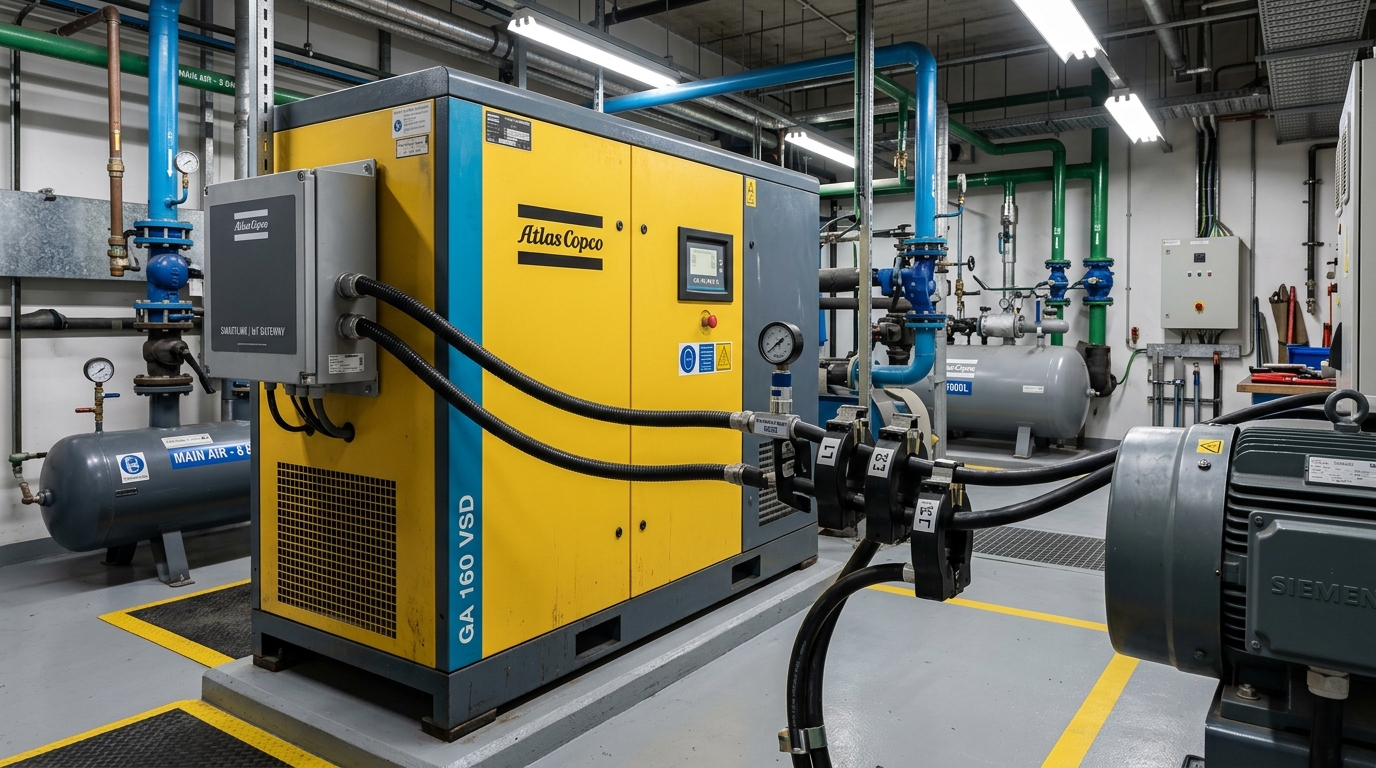
Fleet Telemetry & Remote Lockout Needs for Compressor Leasing & Installment Sales
The industrial air compressor market is experiencing a profound transition toward installment purchasing and Compressed Air as a Service (CAaaS). Under this business model, equipment providers confront three operational risks:
- Client Payment Delinquency & Bad Debt: With machinery located inside private customer factories, dispatching technicians to reclaim delinquent equipment incurs severe legal friction and high costs. A secure Remote Machine Lockout feature allows distributors to display payment warnings on the controller and safely inhibit machine restart if invoices remain overdue beyond grace periods.
- Failure to Perform Scheduled Maintenance: Plant operators frequently run compressors beyond 4,000–6,000 hours without changing lubricant or separator filters, resulting in varnishing, motor burnout, or airend seizure (requiring thousands of dollars in overhaul costs). Automated telemetry empowers distributors to ship consumable kits just-in-time, generating recurring parts revenue.
- Mechanical Run-Hour Tampering: Bypassing hour-meters to under-report operating hours is fully neutralized when operating records are continuously pushed to the cloud over 4G cellular links. Explore our dedicated Machinery IoT Integration Handbook.
RS485 Port Pinout on MAM-860 / MAM-880 / MAM-6080 Displays
MAM controllers provide an industrial RS485 communication interface to support multi-compressor sequencing or supervisory SCADA telemetry:
- Terminal Designation: Located on the rear enclosure, designated as
COM2orRS485:- Terminal
485+(Line A): Connects to the differential non-inverting data line. - Terminal
485-(Line B): Connects to the differential inverting data line. - Terminal
GND: Ground reference for the telemetry module.
- Terminal
- Standard Communication Parameters: Set
COM MODE: COMP., Modbus RTU protocol, 9600 bps baudrate, 8 data bits, Even parity, 1 stop bit (8-E-1), function codes03H / 06H / 16H, default Slave ID 001 (1). - Accessing Controller Configuration Menus: Press the Set / Menu key, navigate to User Parameters or Manufacturer Parameters. Common default user passwords are
0000,1111, or8888. Default manufacturer passwords include1688,8888, or9999.
Essential Telemetry Parameters & MAM Controller Modbus Register Map
A professional compressor telemetry system extracts the following critical register blocks:
| Register (Hex / Dec) | Parameter Name | Data Type & Scale | Engineering Significance & Thresholds |
|---|---|---|---|
| 0x0000 (0) | Machine Operational State | 16-bit Bitmask | Bit 0: Stopped; Bit 1: Running; Bit 2: Loaded; Bit 3: Unloaded; Bit 4: Fault Trip. |
| 0x0001 (1) | Discharge Air Pressure | 16-bit Int, 0.01 bar | Delivered line pressure (e.g., 750 corresponds to 7.50 bar). |
| 0x0002 (2) | Airend Discharge Temperature | 16-bit Int, 0.1 °C | Normal range 75–88°C. Warning threshold >95°C; emergency shutdown at >105°C. |
| 0x0003 - 0x0004 | Total Operating Run Hours | 32-bit Dword, Hours | Cumulative motor powered hours for lease billing and asset depreciation. |
| 0x0005 - 0x0006 | Total Loaded Operating Hours | 32-bit Dword, Hours | Actual compression duty hours; Load/Run ratio determines factory air leak severity. |
| 0x0007 (7) | Air Filter Remaining Hours | 16-bit Int, Hours | Counts down from 2,000h. Dispatches maintenance kit when <100h remain. |
| 0x0008 (8) | Oil Filter Remaining Hours | 16-bit Int, Hours | Counts down from 2,000–3,000h to prevent lubricant degradation. |
| 0x0009 (9) | Air/Oil Separator Remaining Hours | 16-bit Int, Hours | Prevents clogged separators from driving up electrical power consumption. |
| 0x000A (10) | Lubricant Oil Remaining Hours | 16-bit Int, Hours | Crucial to prevent oil varnishing and airend seizure. |
| 0x0010 (16) | Current Diagnostic Fault Code | 16-bit Int Code | 1: Overheat; 2: Overpressure; 3: Phase Reversal; 4: Motor Overload. |
5-Step Installation Guide for MAM Compressor IoT Retrofit
- Step 1: Isolate Main Power & Open Enclosure: Verify lock-out/tag-out safety procedures. Locate the
COM2terminal block on the rear of the MAM controller. - Step 2: Terminate RS485 & Wire Remote Lockout Circuit: Connect 485+ to Line A and 485- to Line B of the DeviceLab DL-M400. Wire the module's industrial relay in series with the compressor's Emergency Stop circuit.
- Step 3: Insert Industrial 4G SIM & Power Module: Insert an industrial M2M 4G SIM card. Power the DL-M400 from the panel's 24VDC auxiliary supply.
- Step 4: Configure Polling Intervals via Web GUI: Access the local web configurator to establish 10-second polling across all pressure, temperature, and maintenance registers.
- Step 5: Commission Private-Label Mobile App: Log into the OEM smartphone dashboard to confirm telemetry streaming, verify alert thresholds, and conduct an authorized test of the remote lockout circuit.
Troubleshooting Password Locks and Occupied Inverter RS485 Ports
Challenge 1: Controller Locked by Proprietary Factory Password
When compressor OEMs lock deep configuration menus with proprietary passwords, attempting to crack the firmware risks voiding warranties. DeviceLab Solution: Non-Invasive Sensor Retrofit. Without touching any MAM controller wiring:
- Install an industrial 0–16 bar pressure transmitter (G1/4 thread, 4–20mA output) onto the air receiver.
- Clamp an RTD PT100 temperature sensor onto the discharge oil line.
- Clamp 3 split-core current transformers (CTs) onto the motor leads to distinguish run/load/unload states.
- Land all sensor leads directly onto the analog inputs of the DeviceLab DL-M400.
Challenge 2: Controller RS485 Port Occupied by VFD Inverter
In variable-speed drives, the MAM display already acts as the Modbus Master to control the inverter. Connecting a second master causes immediate bus collisions. DeviceLab Solution: Passive Modbus Sniffing Mode. The DL-M400 is configured in passive listening mode, silently intercepting query-response traffic without transmitting on the wire. High-speed ARM processing extracts real-time pressure, frequency, and fault codes transparently.
Turnkey Package: DL-M400 4G Module + White-Label Mobile App for Machinery OEMs
For machinery manufacturers and major leasing distributors, DeviceLab delivers end-to-end hardware and private-label cloud platforms:
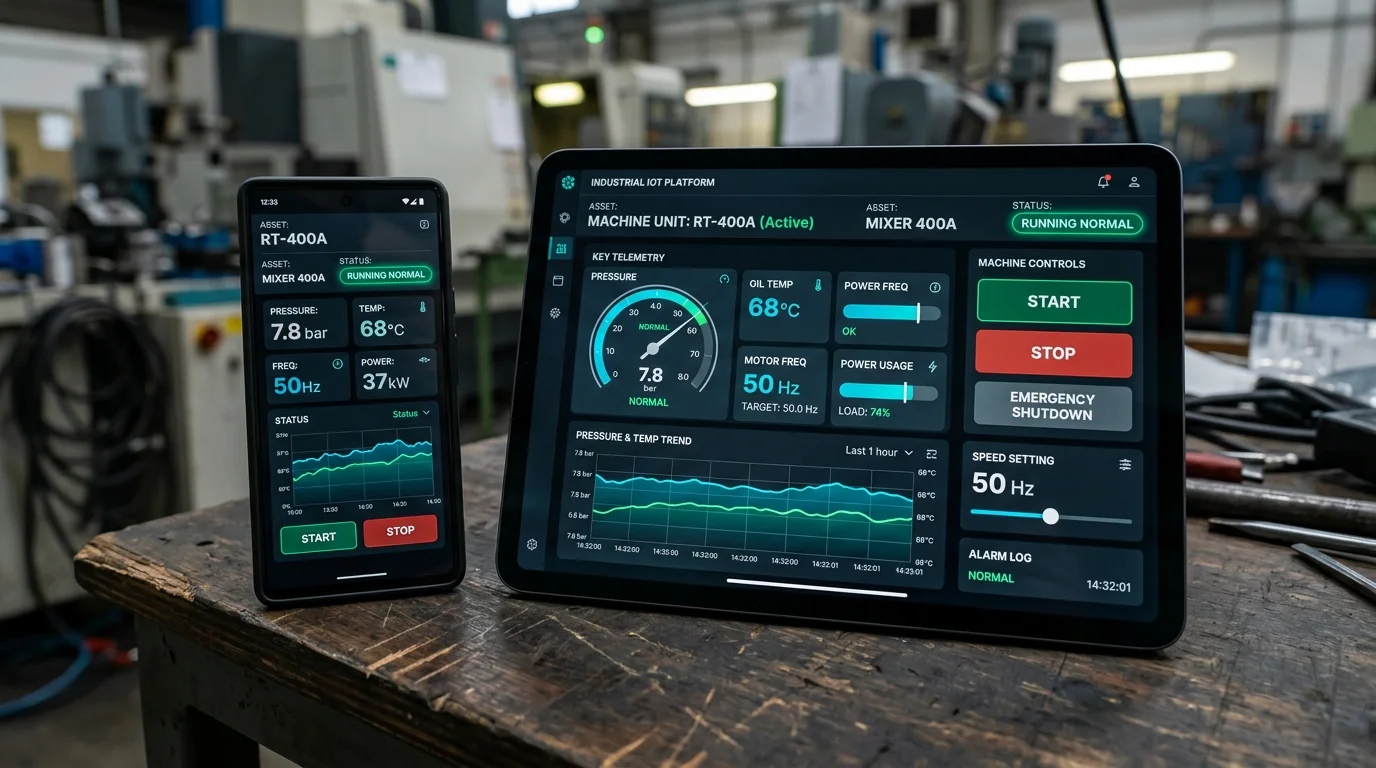
DeviceLab DL-M400 Dedicated 4G IoT Module for Industrial Compressors
- Built-In Industrial 4G LTE Cat-1 Modem: Operates independently of factory Wi-Fi networks with robust industrial park connectivity.
- Dual 3.0kV Isolated RS485 + 4x Analog Channels (4-20mA/0-10V): Concurrently interfaces MAM controllers and auxiliary instrumentation.
- Secure Remote Equipment Lockout: Enforces lease payments with two-factor authenticated graceful compressor shutdown.
- White-Label iOS & Android Apps: Customized with your company logo, brand palette, and domain name.
Frequently Asked Questions About MAM Compressor Controllers (FAQ)
❓ Which port on the MAM-860 and MAM-880 controller handles Modbus communications?
On the rear terminal block of MAM-860 and MAM-880 controllers, the communication port is designated as COM2 (RS485), featuring three terminals: 485+ (Line A), 485- (Line B), and GND. In the parameter menu, set COM MODE to COMP. The default protocol is Modbus RTU configured at 9600 bps, 8 data bits, 1 stop bit, Even parity (8-E-1), supporting function codes 03H/06H/16H with default Slave ID 001 (1).
❓ How can telemetry be acquired if the MAM controller RS485 port is already dedicated to the inverter?
In variable-speed compressors, the MAM display functions as the Modbus Master to control the inverter. Because Modbus does not permit multiple masters on the same physical line, DeviceLab provides two proven solutions: (1) Passive Modbus Sniffing mode on the DL-M400 module, which transparently intercepts query-response frames without generating bus traffic; or (2) Non-invasive sensor retrofit utilizing independent 4-20mA pressure transmitters and split-core current transformers.
❓ How does the remote equipment lockout feature function, and is it safe for compressors?
The DeviceLab DL-M400 hardware includes an industrial-grade 250VAC/5A relay wired in series with the compressor's Emergency Stop or Remote Stop circuit. When an equipment lessor issues a remote lock command via the mobile app or web portal, two-factor OTP authentication is required. Upon validation, the relay opens, prompting the MAM controller to initiate a normal unloader depressurization cycle before shutting down, protecting the screw airend from oil blowback.
Related Technical Articles & Engineering Guides
Deepen your engineering knowledge with practical guides from DeviceLab engineers:

Recommended Industrial IoT Hardware & OEM Solutions
Standardized industrial-grade devices engineered and mass-produced by DeviceLab Vietnam:
Need custom hardware design or embedded device engineering?
You do not need a complete schematic. Describe your functional specifications, target application, and power/size/connectivity constraints.
DeviceLab helps define engineering scope from architecture to functional prototype.